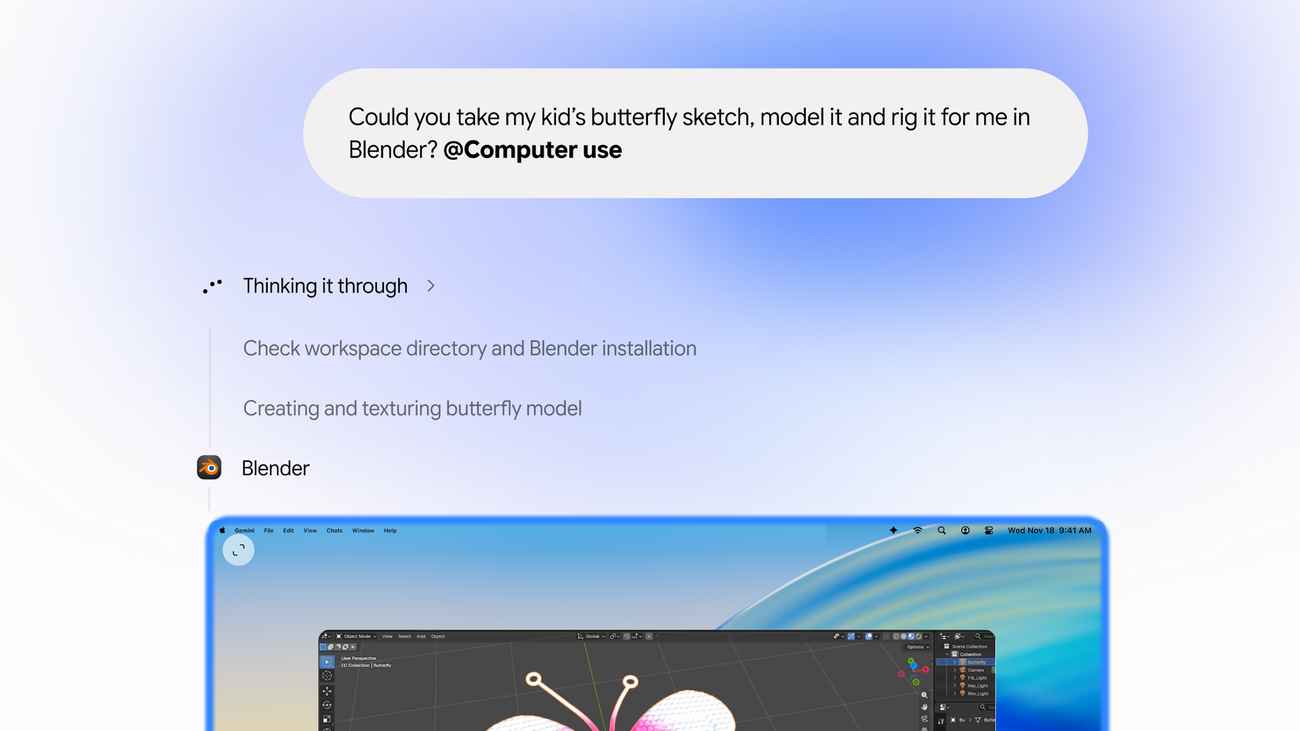
Google rolled out computer-use controls for the Gemini Mac app on Thursday, letting the AI click, type, and move across local files, desktop apps, and the web while users keep working on their main screen.
The feature arrives three days after Apple tightened macOS automation permissions in the macOS 27.3 developer beta. Gemini’s computer use runs in an isolated background window with a live preview inside the chat, so the primary display and cursor stay free.
“Starting today, computer use in the Gemini app for Mac helps you get multi-step tasks done across your local files, desktop apps, and the web,” Google announced. “Just describe what you need, and Gemini handles the clicking, typing, menus, and forms for you.”
Let Tasks in Gemini tackle your to-do list. At our next Gemini Discord event, a member of our team will demo how Tasks in Gemini can help you tackle big projects, ongoing workflows, and everyday chores, all in the background and under your direction. 👉 Join the Discord to…
Mac Users Gain New Controls
Subscribers to Google AI Plus, Pro, or Ultra plans in the United States can activate the feature by typing “@Computer use” in a prompt. The rollout requires an Apple Silicon Mac running macOS Sequoia 15.0 or later and a personal Google account for users 18 and older. TechCrunch reported that Google has not provided a timeline for expansion to other markets or platforms.
Google suggests use cases such as color-grading a batch of photos in design software, analyzing clothing photos and preparing resale listings, organizing files into folders by criteria, and creating slideshows from local files or online dashboards. Basic Tutorials highlighted that the agent operates in a background window rather than taking over the full screen, a design choice meant to keep the user’s workflow uninterrupted.

Privacy Controls and Permission Model
“Privacy and safety are built in: you choose which apps Gemini can access, watch every step live, pause at any time, and approve key actions before they happen,” wrote Michael Friedman, Google’s group product manager for the Gemini app, in the company’s announcement blog post. SiliconANGLE quoted that sentence directly from Friedman’s post.
Users must grant macOS Accessibility and Screen & System Audio Recording permissions before Gemini can control desktop apps. The assistant requests permission per app, with options to deny, allow once, or allow ongoing access; sensitive actions such as logins and payments still require explicit confirmation.
With computer use in the Gemini app for Mac, you can now hand off tasks across your folders, apps, and the web, while your screen and cursor stay yours. Watch Gemini click, scroll, and type in a live background window, turning a quick sketch into a rigged 3D model in Blender.
Google warns that Gemini can access active sessions in native Mac apps and read multifactor authentication codes visible in desktop or messaging apps. Optional on-demand backups expire after 24 hours or at the next prompt, whichever comes first, and some applications prevent backups entirely.
Competitive Context and Apple’s Response
OpenAI’s ChatGPT and Meta’s Muse already offer comparable computer-use features on macOS, letting their agents interact with local files and apps. Bloomberg, via Yahoo Finance, reported that Google’s launch increases pressure on Apple to make Siri more capable — Siri currently handles tasks only within Apple’s own apps and does not extend to most third-party software.
Apple has released frameworks for developers to enable those abilities, and the macOS 27.3 beta 2 changes split Device Control and Data Access permissions into separate categories with more explicit prompts for broad system access.
AppleInsider cautioned that the convenience comes with security risks serious enough to make handing over broad control a bad idea, especially on a primary Mac containing sensitive files or accounts. The outlet advised using Gemini to plan and prepare tasks without granting permission to make potentially irreversible changes.

Developer Roots and Pricing Notes
The underlying Gemini 2.5 Computer Use model was available to developers via the Gemini API in October 2025, initially focused on browser interactions. Basic Tutorials said that the consumer Mac feature is part of the Gemini app, not a separate developer API, and it remains unclear whether Google plans to open its background execution environment to third-party developers.
For Japan, Google AI Pro starts at ¥2,900 (approximately $18) per month and Google AI Ultra at ¥14,500 (approximately $91) per month; the developer API is priced at $3 (approximately ¥480) per 1 million input tokens and $15 (approximately ¥2,400) per 1 million output tokens, with cached input reuse at $0.15 (approximately ¥24).
Google also launched the Gemini 4 Neon model on November 18, positioned between the top-tier Carbon and speed-focused Hydrogen models, and began rolling out the renamed “Tasks” feature — formerly Gemini Spark — free in six countries including Japan alongside five other nations as Google expands access to its reorganized productivity suite.
Related reading

Pakistan’s Ex-Army Chief Waheed Kakar Dies at 89
General Abdul Waheed Kakar, the Pakistani army chief who forced a president and a prime minister to resign...

Jeffries Pushes Aggressive Health Agenda: Lower Medicare Age, Expand Benefits, Cover All Kids
House Minority Leader Hakeem Jeffries is laying out a health-care agenda that would lower the Medicare eligibility age,...

FBI, DHS, TSA Warn Aviation Industry of Al Qaeda Calls for Attacks
“They have demonstrated the ability to mobilize rapidly and with little or no warning,” the joint FBI, Department...

Columnist: GLP-1 Drugs Create New Thinness Pressure for Women
In a column for cleveland.com’s Our Best Life section, Laura Johnston argues that the explosion of GLP-1 weight-loss...