Google released a critical security update for Chrome on July 8, 2026, addressing 27 vulnerabilities. The patch, covering Windows, macOS, and Linux, fixes two critical-severity “use-after-free” flaws in the browser’s Ozone and Views components. While no active exploits were confirmed, Google is urging all users to update their browsers immediately.
Google Addresses CVE-2026-15112 and CVE-2026-15129 in Chrome Version 150

The latest security patch, which brings Chrome to version 150.0.7871.114/.115 on desktop platforms, centers on a significant number of memory-related defects. Of the 27 vulnerabilities resolved, 13 are classified as “use-after-free” (UAF) issues—a recurring challenge in Chrome’s C++ codebase. As reported by Forbes, two of these UAF flaws, tracked as CVE-2026-15112 and CVE-2026-15129, carry a critical severity rating.
These specific vulnerabilities affect the browser’s Ozone platform abstraction layer and the Views user interface framework. Security experts at VulnDB noted that these flaws occur when the browser fails to properly track object lifecycles in memory, potentially allowing an attacker to execute arbitrary code simply by luring a user to a malicious webpage. According to PCWorld, the rapid release of this patch followed an undocumented update just one day prior, highlighting the urgency with which Google is currently managing its browser security.
OWASP Explains Use-After-Free Memory Management Failures
To understand why these bugs are so prevalent, it helps to look at how Chrome handles memory. The Open Worldwide Application Security Project (OWASP) explains that a use-after-free condition occurs when a program continues to reference a memory address after that memory has been freed or deleted. When this happens, the program may exhibit “undefined system behavior,” which attackers can weaponize.
“The flaw occurs within the browser’s user interface component system where memory management fails to properly track object lifecycles, creating opportunities for remote code execution through malicious web content.”VulnDB, via Forbes
As SecurityWeek notes, the sheer size of the Chrome codebase—which relies heavily on C++—makes finding these dangling pointers a constant, dynamic process. Google has increasingly utilized automated discovery tools, including AI-driven fuzzing and memory analysis, to identify these weaknesses before they can be weaponized. While this automated approach has led to a high volume of reported bugs, it has also resulted in a trend of lower individual bug bounty payouts, as reported by the same outlet.
Google Responds to CVE-2026-2441 and Earlier Zero-Day Exploits
## Broader Security Landscape and Recent Zero-Day Activity
The July 8 update is part of a broader, aggressive push by Google to secure its browser platform. Since April 2026, the company has patched more than 1,400 vulnerabilities, including hundreds categorized as memory safety issues. This pace of development is a direct response to a year that has already seen active exploitation of browser flaws. Earlier in 2026, Google was forced to issue an emergency patch for bangkokpost.com, a zero-day vulnerability in the CSS font rendering system that hackers were actively using to target users.
Unlike the February zero-day, Google has confirmed that none of the 27 vulnerabilities fixed in the July 8 release are currently being exploited in the wild. However, the presence of multiple memory corruption issues significantly increases the risk of “weaponization,” where attackers chain together smaller flaws to bypass security sandboxes. Cybersecuritynews.com emphasizes that threat actors often look for these specific types of bugs to facilitate full system compromise.
Heise Online Reports on ChromeOS Aura Graphics Updates
## How to Verify Your Browser Protection
Because Chrome updates automatically, most users will receive these protections without manual intervention. However, users who rarely close their browsers or who have extensions that interfere with the update process may be lagging behind. To manually check your status, users should navigate to the “About Google Chrome” section within the Help menu.
| Operating System | Secure Version |
|---|---|
| Windows & macOS | 150.0.7871.114 / .115 |
| Linux | 150.0.7871.114 |
| Android | 150.0.7871.114 |
Beyond the desktop and mobile versions, Google has also rolled out security updates for the Long-Term Support (LTS) version of ChromeOS, addressing critical issues affecting the Aura graphics component and web authentication functions. As heise online reports, these updates are being pushed gradually to most devices, ensuring that the security posture remains consistent across the entire Chrome ecosystem.
Find more reporting in our Technology section.

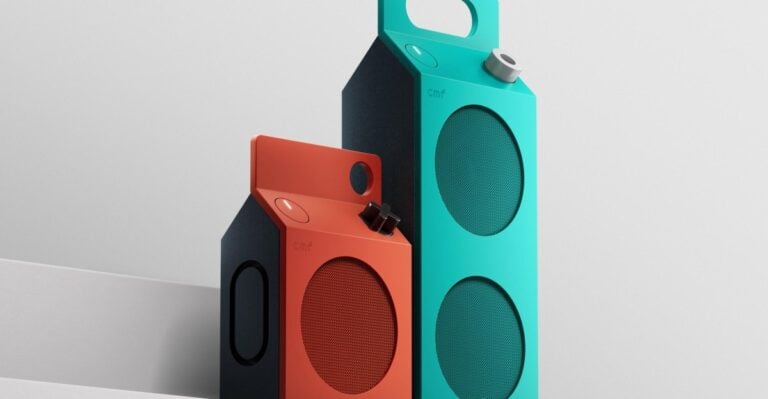
CMF Launches Milk Carton-Inspired Wireless Speakers
CMF has launched its first portable Bluetooth speakers, featuring a gable-top gable design inspired by milk cartons.

University of Michigan Uses AI to Mine Ecological Data From Online Comments
Researchers at the University of Michigan have developed a new artificial intelligence approach using tools like Claude and...

Dokkaebi’s World Ranks Second in Revenue on Major App Stores
Kakao Games and Supercat launched Dokkaebi's World on October 8, quickly claiming the top spot on the Apple...

Microsoft and Partners Open Pre-Orders for RTX Spark Windows PCs
Microsoft and hardware vendors opened global pre-orders for RTX Spark Windows PCs, featuring unified memory architectures designed to...